

Semantic token architecture
Maintain meaningful relationships between base values and the UI roles that consume them.
Bezel for Design System Teams
Bezel gives design system teams a workflow for managing semantic tokens, previewing component changes, and publishing reusable design decisions. Make the same foundation available to frontend developers and compatible AI coding agents.
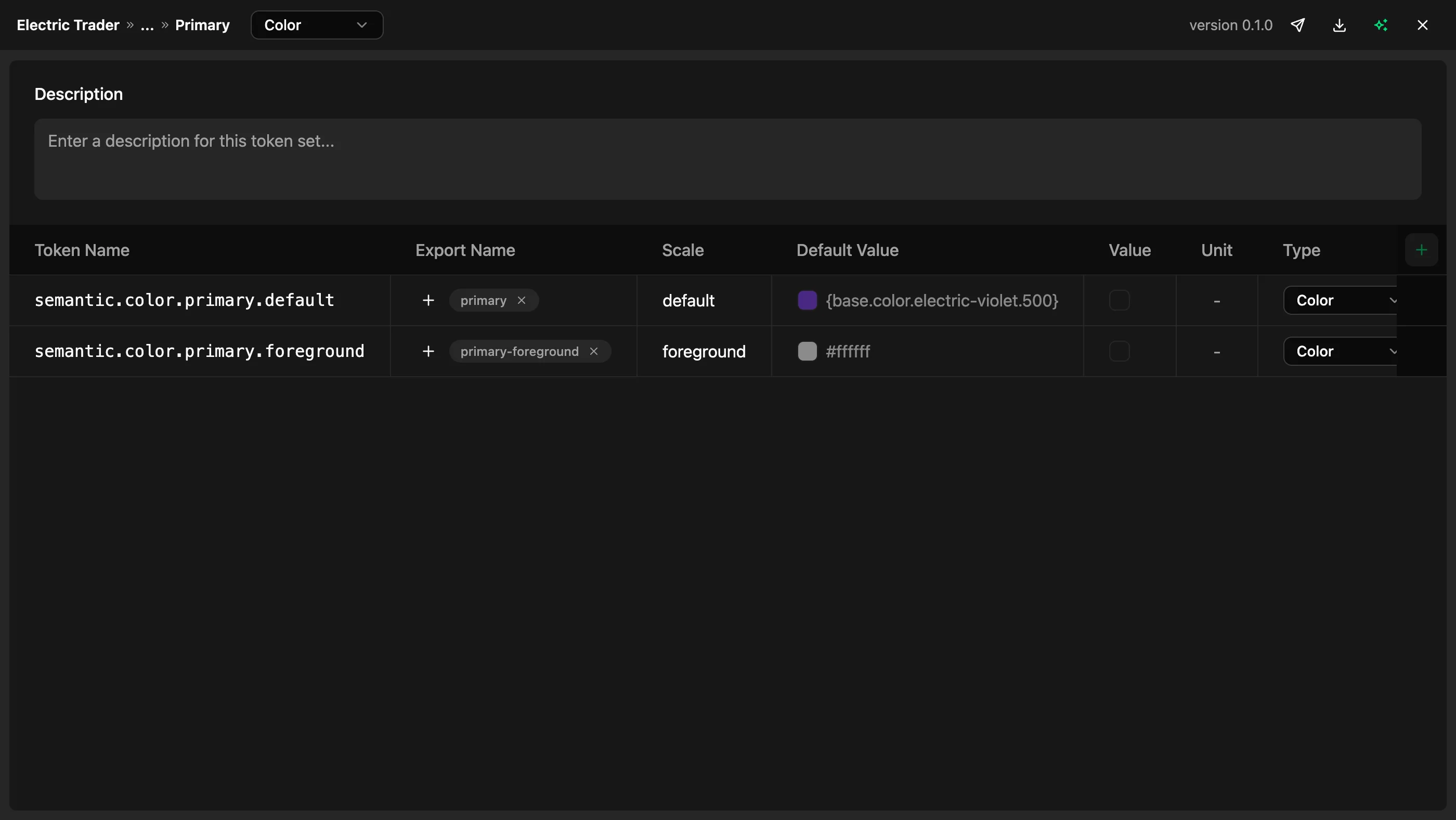
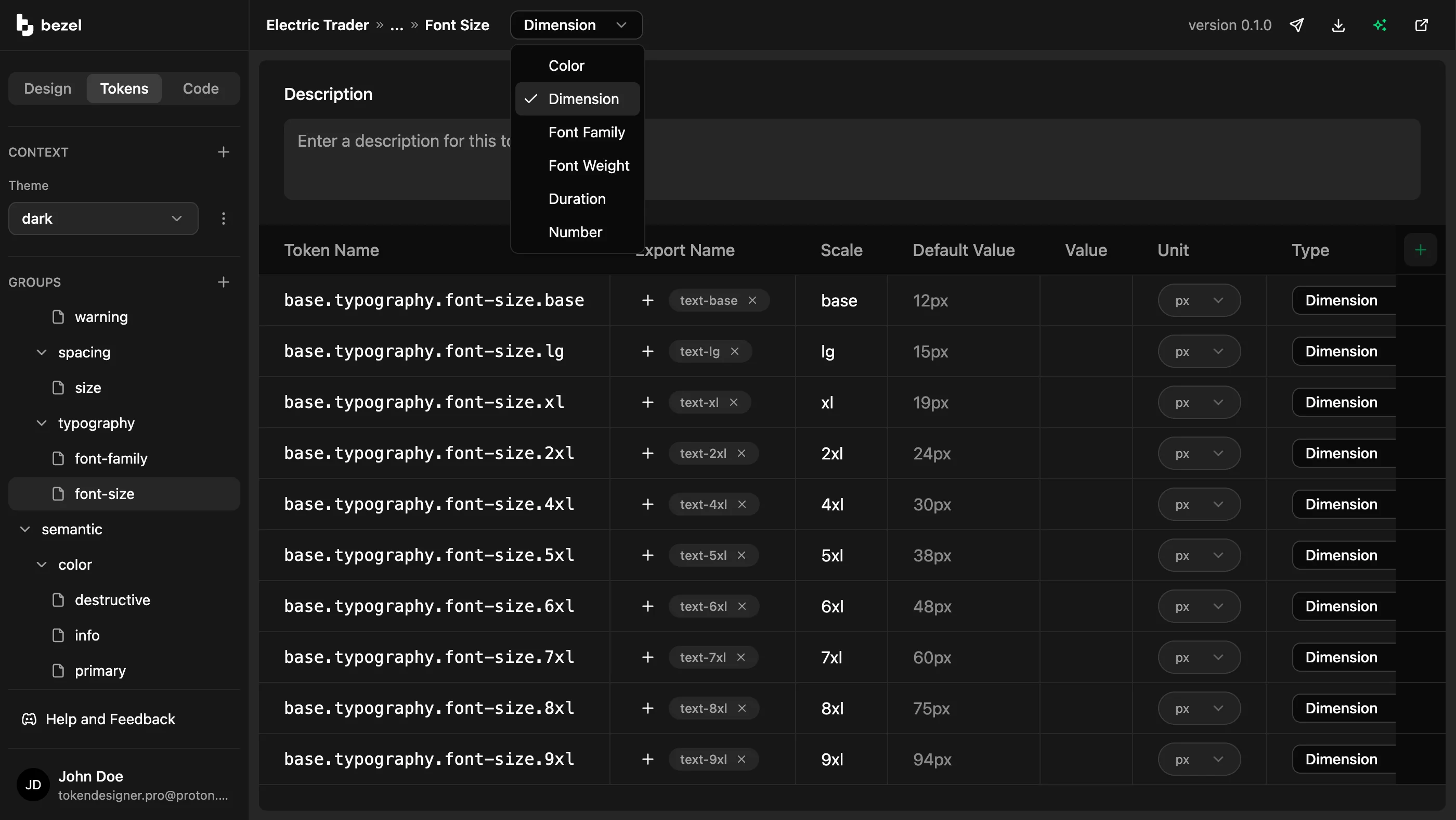
A maintainable token model
A growing list of raw values becomes difficult to maintain when its relationships and intended uses are unclear. Teams need to understand what a token means as well as what it contains.
Manage base tokens, semantic aliases, types, references, and export names in Bezel. Shared references let related decisions follow a base value while preserving their distinct roles.
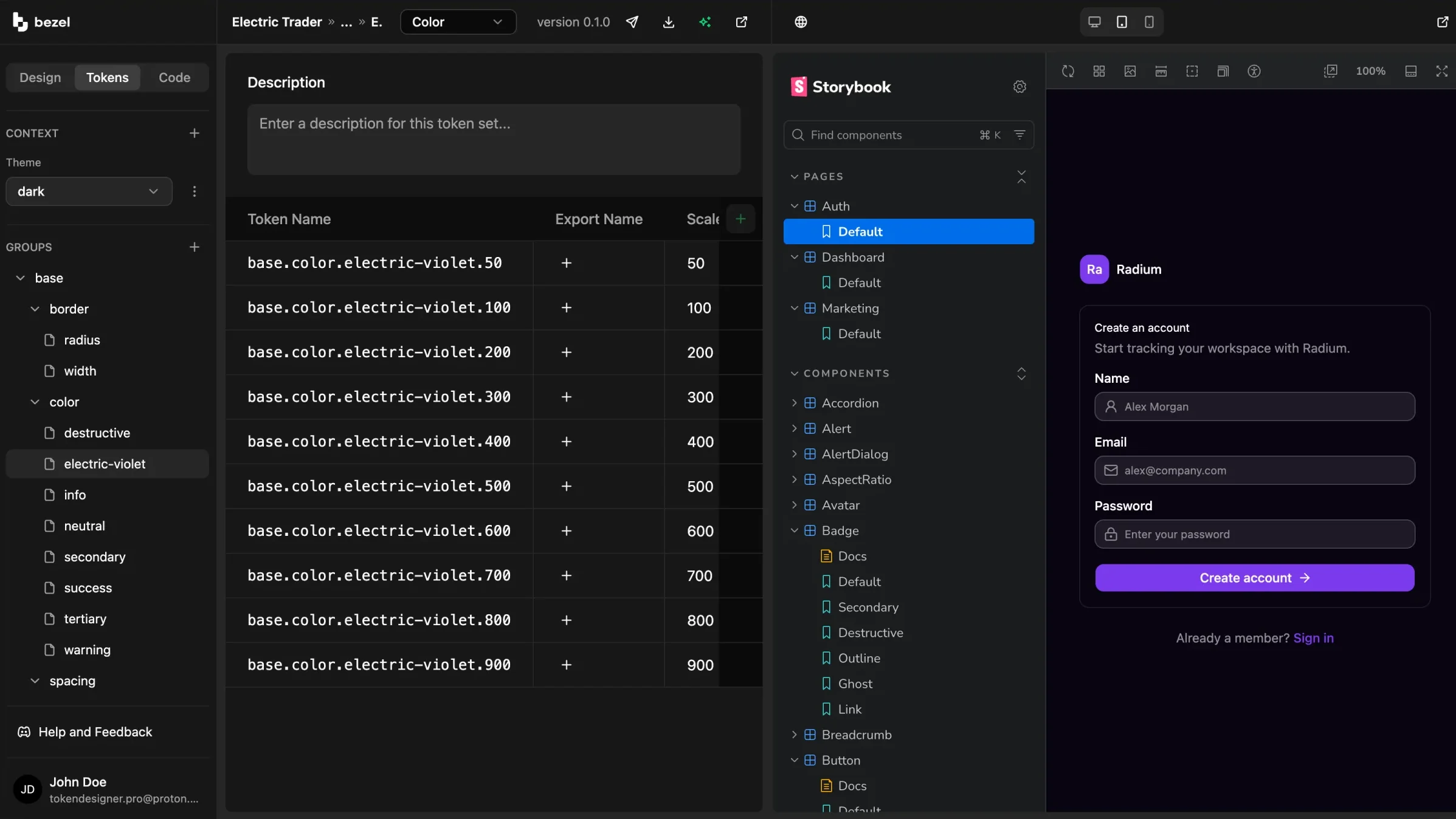
Changes you can evaluate
A token file can be technically valid while producing awkward spacing or unreadable color combinations. Maintainers need visual context before sharing an update.
Preview changes on connected components and use contrast feedback when refining foreground and background pairs. Evaluate the system in use before publishing its next snapshot.
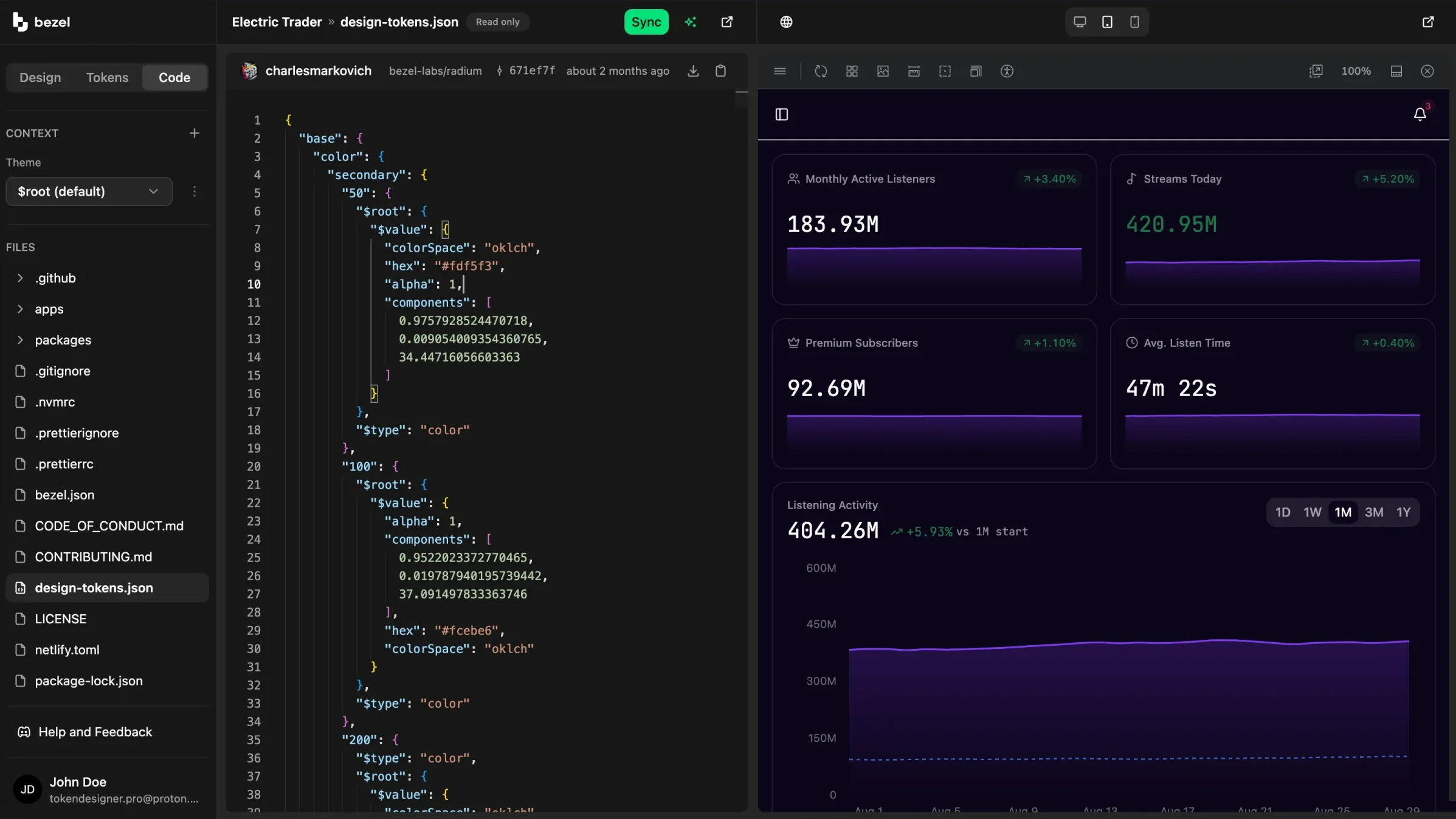
A system builders can consume
Design system adoption is harder when developers translate documentation into code and AI agents infer rules from scattered examples. Reusable artifacts give both a clearer starting point.
Publish versioned tokens in the Design Tokens Community Group format. Use Bezel Kit for CSS output and MCP for compatible agents to query tokens and guidelines as they work.
Maintain meaningful relationships between base values and the UI roles that consume them.
Publish token snapshots with tracked changes and optional release notes for your development workflow.
Give compatible coding agents access to the same structured design decisions used by developers.
Use the parts of Bezel that fit your workflow, from a visual starting point to implementation-ready design context.
FAQ
Same System
AI lets one person build at a speed that previously required a team.
Bezel for Solo Founders & Indie BuildersBezel helps startups turn early design decisions into a reusable system for their SaaS product and website.
Bezel for Startups & Small TeamsCreate your own colors, typography, and spacing in Bezel.
Bezel for Custom App DesignBezel helps product and engineering teams reduce UI design drift with shared tokens, component previews, and design context for AI coding agents.
Bezel for Product & Engineering TeamsBezel helps marketing and brand teams create a reusable design foundation for websites, campaign pages, and email templates.
Bezel for Marketing & Brand TeamsCreate shared design tokens, preview them on real components, and give your AI agents a consistent foundation for dashboards, admin panels, and business apps..
Bezel for Internal Tools & DashboardsBezel renders your own site beside the editor and restyles it as you change tokens.
Bezel for Share Design ChangesFree plan · No credit card required
Start free to build your agentic design foundation with Bezel and give your AI coding agents the same design system your team uses.